MISUMI Updates
Currently there are no notifications.

MISUMI Updates
Recreate a quote from an existing one when changes are needed—without starting from scratch.
We have implemented a “Quote again” functionality in the MyMISUMI Customer Self Service Portal. This update is designed to support situations where a quote needs to be re-quoted or amended because updates are necessary.
With “Quote again,” you can use an existing quote as the basis for a new version, helping you keep your quoting process consistent when requirements change. This is especially useful when you need to adjust details after an initial quote is created, for example, to reflect updated specifications or to incorporate changes identified during internal review.
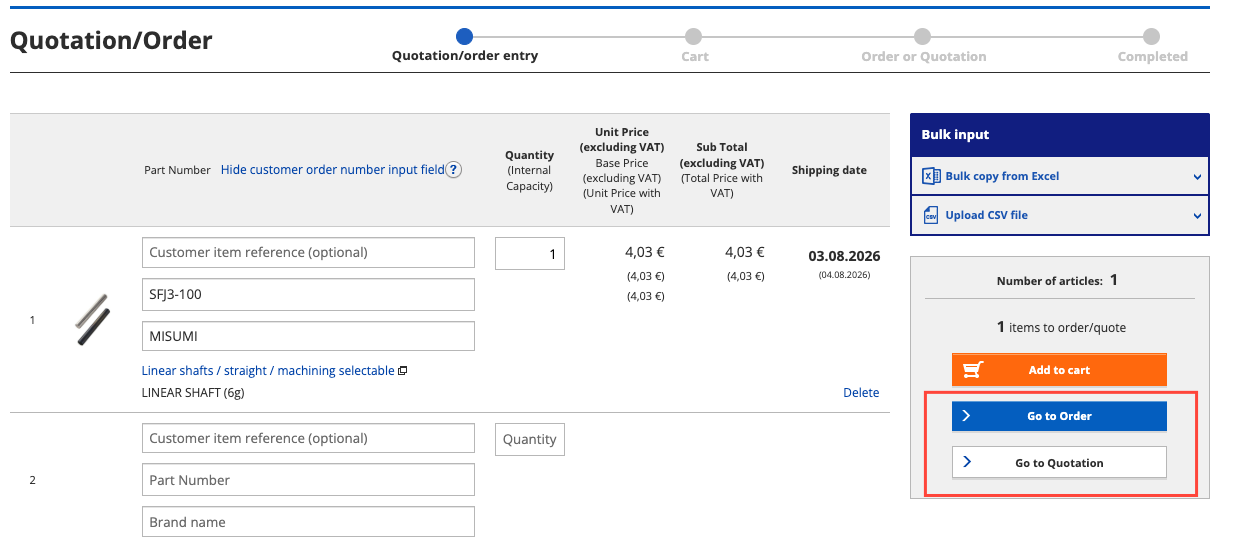
It is now possible to add items in the “Order/Quote” screen and directly send an order or request a quote - without going through the cart!
Even though the cart can provides additional information or you can add items from earlier sessions to the order, sometimes you can save this extra step.
We are excited to introduce a new digital enhancement in MyMISUMI that makes your documentation workflow faster, more reliable, and more convenient. With our latest update, you can now register up to three e‑mail recipients who will automatically receive the Certificate of Conformity (CoC) for each of your orders as soon as they ship.
This feature ensures that essential compliance documents reach the right people at the right time—without manual forwarding or additional administrative steps. With the new functionality, you can:
Setup is simple: Just log in to MyMISUMI, click on Company Settings -> e-Billing & CoC Settings, enter up to 3 e-mail addresses and the system will handle the rest. Once configured, CoCs will be delivered automatically after each shipment, providing full transparency and smoother communication across your teams. This enhancement is part of our ongoing commitment to deliver smarter digital tools that support your daily operations and help you work more efficiently.
Activate the new CoC delivery feature today in MyMISUMI and streamline your documentation process like never before.
We are excited to introduce an enhanced set of self‑service features in MyMISUMI that give you greater flexibility and full control over your orders. With this update, managing changes is not only easier—it’s faster, more transparent, and fully aligned with your day‑to‑day project needs. You can now directly in MyMISUMI:
Simply log in, open your Order Overview, select the order, and click “Modify / Cancel Order.” The portal will clearly display which actions are available based on order status and cut‑off times. These improvements are designed to:
At MISUMI, we continuously strive to improve our digital services to better support your operations. With these new self-service capabilities, you can manage your orders more proactively—and with greater confidence. Experience the new level of convenience today by logging into MyMISUMI.
Choosing the right product can sometimes feel complicated — especially when there are many specifications and options involved. That’s why we’ve made several improvements in our online shop to make the whole experience smoother and easier for you.
Our configurator now gives clearer guidance while you build your product selection. Required specifications are easier to spot, and you’ll immediately see when options fit together correctly. We’ve also added more helpful tooltips whenever certain options are unavailable, so you can better understand why and continue configuring without confusion.
To make things even simpler, the configurator can now automatically complete selections when only one option is left. Fewer clicks, less guesswork, and a faster path to the right product.
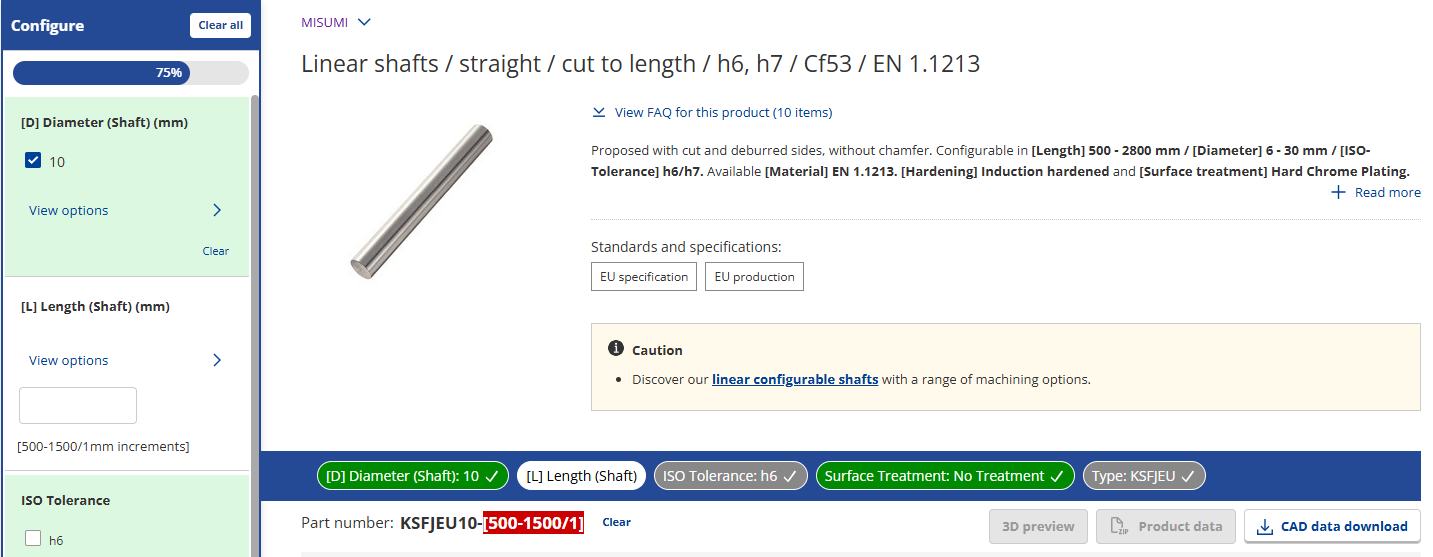
And because we know interruptions happen, your progress is now automatically saved in your browser. If you leave the page or close a tab and come back later, your latest configurations and filters will still be there waiting for you, so you can quickly continue where you left off. This includes:
When a saved configuration is loaded, you’ll be informed about this by a small notification. You can always use the "Clear all" button to reset the saved configuration.
We’ve also improved the product page itself. Important information like pricing and delivery details now stays visible while scrolling in a more compact format, giving you more space to focus on product details and specifications. You can expand or collapse this sticky panel whenever you want.

Another small but useful improvement: For MISUMI products, product weight information is now displayed directly in the “Specs and Dimensions” section on the product page, making it easier to find key technical details at a glance.
All of these updates were made with one thing in mind: helping you find and configure the right products with less effort and a better overall experience!